Ep 1 - ChatGPT Zero to Hero Series
Remember Ghajini / Memento?
Very powerful yet extremely vulnerable.
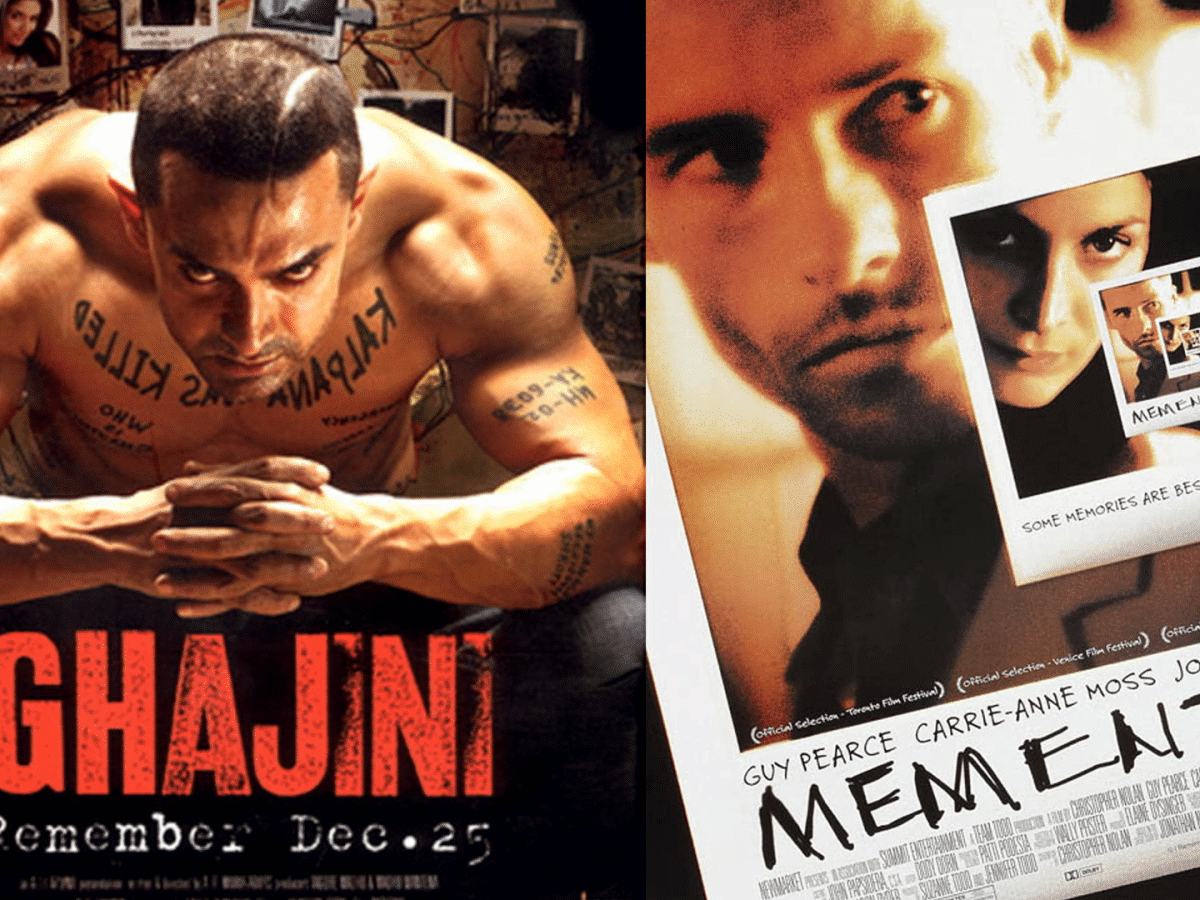
🎬 The Ghajini Way of ChatGPT Mastery (Joe’s Story)
Meet Joe, who runs a small wellness studio in Bengaluru. Like in Ghajini/Memento, Joe learns to beat forgetfulness by building a system: clear notes (context), roles, goals, constraints, and reusable workflows.
For every you’ll get:
- 🎯 Concept – what/why
- 💡 Differentiator – what makes it powerful
- 🧘 Try This – copy‑paste prompts (with/without the when useful)
- 📦 Self‑contained assets – mini tables/text you can paste
- 🔑 Takeaway – what to remember
Q&A → Release pattern used throughout: Ask ChatGPT to first ask clarifying questions, then only release the final answer when you reply
GO.
🎬 ACT 1 – Forgetfulness to Focus
Watch the this part on YouTube
🧠 Tip 1 — Start with Context (The Ghajini Rule)
Concept: Every chat is a blank slate; add scene‑setting.
Differentiator: Context turns generic output into your situation.
Try This (without tip):
Write a post about morning yoga.
Try This (with tip):
I run a small wellness studio in Bengaluru. My audience is busy working professionals (25–40).
I want a short Instagram post about how morning yoga boosts energy before work — friendly and simple.
Before you write, ask 3 quick questions you need from me. Wait for my answers before writing.
Takeaway: Context is your first tattoo.
🧩 Tip 2 — Define the Role (Give an Identity)
Concept: Role changes tone, logic, and focus.
Differentiator: Writing as Joe’s coach ≠ writing for Joe.
Try This:
You are a wellness coach for a neighbourhood yoga studio in Bengaluru.
Ask me up to 3 questions to tailor a 2‑line WhatsApp invite for our “Mindful Morning” session.
Only when I reply GO, release the final message.
Takeaway: Role = lens.
🎯 Tip 3 — State the Goal (Define Success)
Concept: Tell ChatGPT what “done” looks like.
Differentiator: Prevents wandering; improves alignment.
Try This:
You are a wellness coach.
Goal: Encourage 9–5 professionals to try a 10‑minute morning routine.
Ask me 3 quick questions. After I reply GO, produce a 3‑line Instagram caption.
Takeaway: Goal = north star.
🧭 Tip 4 — Add Constraints (Shape the Output)
Concept: Boundaries boost clarity.
Differentiator: Predictable length/tone/format.
Try This:
Write a WhatsApp invite for a free meditation class.
Constraints: ≤ 40 words, Hinglish, warm tone, ends with a friendly CTA.
Ask 2 questions first; release final only when I say GO.
Takeaway: Constraints = discipline.
🔢 Tip 5 — Ask for Numbered Options (Variety on Demand)
Concept: Explore, compare, choose.
Differentiator: You see patterns across options.
Try This:
Give me 3 Instagram hooks for a weekend yoga workshop. Rank by likely engagement.
Ask 2 questions first; release final options after I say GO.
Takeaway: Options reveal what “good” looks like.
🧠 ACT 2 – Remembering the Mission
Watch the this part on YouTube
🔁 Tip 6 — Summarize for Reuse (Carry Memory Forward)
Concept: Create your own memory.
Try This:
Summarize this chat in 5 bullets I can paste at the top of our next chat. Use neutral tone.
Takeaway: Copy summaries into a notes doc.
📁 Tip 7 — Project Folders (One Thread per Theme)
Concept: Organized threads simulate memory.
Try This:
We’re starting a “Yoga Marketing” project thread.
Create a reusable header I can paste into future chats with: Audience, Brand voice, Content pillars (Energy • Calm • Community).
Ask me 3 questions to finalize; release the header on GO.
Takeaway: Folders = focus.
🎨 ACT 3 – Finding Joe’s Voice
Watch the this part on YouTube
🪄 Tip 8 — Editing in My Voice (Don’t Over‑polish)
Try This:
Improve this caption but keep my casual voice.
Keep emojis light. Max 40 words. Ask 1 question; release on GO.
when asks for your caption provide this:
Just finished another yoga class.
Takeaway: Preserve Joe’s personality.
🎤 Tip 9 — Match Tone by Example
Try This:
Match the tone of below lines when rewriting my caption :
“Our mornings begin with calm breaths and gratitude — a soft reminder to slow down, connect inward, and welcome the day with ease.”
Here is my caption: "Radiate positivity, inside and out. Your journey to wellness starts now."
Takeaway: Examples teach tone faster than adjectives.
🎯 Tip 10 — Add Audience Cues
Try This:
Explain the benefits of yoga to first‑time college students in India — light, friendly, no jargon. 3 sentences.
Ask 1 question; release on GO.
Takeaway: Audience defines rhythm.
🧘 Tip 11 — Few‑Shot Prompting (Teach the Pattern)
Try This:
Example 1: Breathe → Reset your mind.
Example 2: Stretch → Wake your body.
Continue with 3 similar lines. Ask 1 question; release on GO.
Takeaway: Show, don’t tell.
📊 ACT 4 – Insights Without Plug‑ins
Watch the this part on YouTube
Each “data” tip includes a self‑contained asset (table) you can paste directly.
📈 Tip 12 — Paste Small Tables as Text
Try This:
Month,Clients
Jan,32
Feb,48
Mar,41
Apr,52

Use the table above. What’s the month‑over‑month trend? Keep to 2 bullets.
Takeaway: GPT reads small CSVs well.
🔍 Tip 13 — Ask for Patterns & Anomalies
Asset: (reuse the table above)
Try This:
From the clients table, find 2 patterns and 1 anomaly. One‑line explanation each.
Takeaway: Ask for analysis, not summaries.
🗺️ Tip 14 — Describe Visuals in Words
Asset: (reuse the table above)
Try This:
Describe how a bar chart of Month vs Clients would look. Mention tallest/shortest bars and overall shape in ≤ 3 lines.
Takeaway: Verbal visualization helps non‑designers.
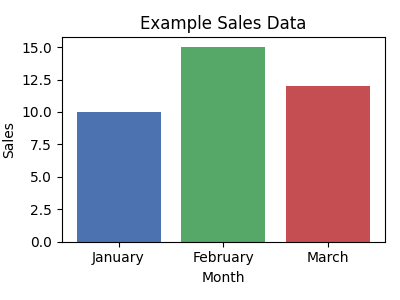
🗺️ Tip 15 — Ask for chart descriptions (GPT‑4).
Describe this as a bar chart comparing months and sales.
🗞️ ACT 5 – Power Moves (No Browsing Assumed)
Watch the this part on YouTube
Free plans may not browse. These prompts work even without browsing by asking for Q&A first and allowing you to paste links if needed.
📰 Tip 16 — Latest‑7 day News Miner
Concept: Joe wants a crisp weekly news snapshot.
Try This:
Curate Content
Topic: Wellness & Yoga in India. Region focus: India. Window: last 7 days.
Output spec:
- 5 bullets max (≤ 20 words each)
- Include source name and date in brackets
- One‑line “Why this matters” at the end
Takeaway: Structure > length.
🧩 Tip 17— Structured Data Miner (Newsletter )
Concept: Joe wants a crisp weekly news snapshotv.
Try This:
Curate Content
Topic: Wellness & Yoga in India. Region focus: India. Window: last 7 days.
Output spec:
```
**Headline:** <headline>
**Source / Date:** <source>, <date>
**Link:** <url>
**Quick Summary:** <2 sentences>
**Takeaway:** <short punch-line>
**Discussion topics:** <one bullet, max 20 words>
```
Takeaway: Turn paste‑ups into insights.
💾 Tip 18— Create a Prompt Vault (Templates You Re‑use)
Try This:
Turn my last 5 successful prompts into reusable templates with placeholders like {audience}, {tone}, {length}. Name each template.
Takeaway: Prompts are assets.
🧾 Tip 19 — Meeting‑to‑Actions Converter
Watch the this part on YouTube
Try This:
Notes: Plan June promo. Need budget. Assign reels. Book community class venue.

Turn the notes above into action items. Start each with a verb. Group by owner: Joe • Team • Vendor. ≤ 6 bullets.
Takeaway: Clarity beats clutter.
✉️ Tip 20— Polite but Assertive Email Rewrite
Asset (messy email):
hey team, project is behind, pls hurry or we’re in trouble
Try This:
Asset (messy email):
hey team, project is behind, pls hurry or we’re in trouble

Do this:
Rewrite the email to be polite but assertive. Keep it under 70 words.
Takeaway: Tone = trust.
🧾 Tip 21 — Caption Factory (Ranked Options)
Try This:
Give 5 caption options for International Yoga Day. Rank by clarity. Add 1 hashtag per option.
Takeaway: Choice with guidance.
⚡ Tip 22 — Global Shortcut Commands (Fast Modes)
Watch the this part on YouTube
Concept: Quick intents with slash‑style cues.
Differentiator: Speed up common tasks. (Use as plain text if your UI doesn’t support /.)
| Slash Cue | What It Does | Example |
|---|---|---|
/ELI5 |
Explain like I’m 5 | /ELI5 What is blockchain? |
/Critique |
What’s unclear? 3 fixes. | /Critique This email: "Hey, need that file soon pls." |
/Bullets |
Convert to crisp bullet list. | /Bullets Yoga benefits for beginners |
/tl;dr |
Too Long; Didn’t Read | /tl;dr https://www.interfaithfoundation.org/introducing-the-cherry-tree-pathway/y0NLhbgNwgflGHd7XIUaAsfBEALw_wcB |
/vibecheck |
Check tone or emotional impression | /vibecheck “Hey, can you finish this today?” |
/Table |
Present info as a 3-column table | /Table Daily habits for calm |
/Summary |
5-bullet plain-English summary | /Summary Article about sleep hygiene |
/Outline |
Structured section breakdown | /Outline Blog post: Benefits of breathing exercises |
/ProsCons |
Balanced list with 3 each | /ProsCons Working from home |
Takeaway: Use ChatgPT’s global slash cues to do things quickly.
⚡ Tip 23 — Custom Shortcut Commands (your own )
Concept: Quick intents specific for your needs with slash‑style cues.
Differentiator: Speed up common tasks. (Use as plain text if your UI doesn’t support /.)
Creat a Local Cue :
Slash cues:
/caption → Write an Instagram caption in a friendly, local tone.
    Input: topic or theme
    Output: 1–2 short lines with emojis + CTA.

Examples:
    /caption morning yoga
    → "☀️ Rise, stretch, smile — your day starts here. #MorningYoga #BreatheEasy"
Use the cue :
/caption evening meditation
Takeaway: Create a mini legend at the top of threads.
🧹 Tip 24 — End with a Reusable Summary
Try This:
Summarize today’s chat in 5 bullets with:
- What we decided • What’s pending • Next prompt to paste
Neutral tone. Ready to reuse.
Takeaway: Every session deserves a memory.
🏁 Tip 25 — The Final Ghajini Rule: System Over Memory
Concept: Memory fades; systems last.
Try This (Joe’s System Checklist):
- Context header ☑︎ Role ☑︎ Goal ☑︎ Constraints ☑︎
- Folder per project ☑︎ Prompt vault ☑︎ Q&A→Release ☑︎ Shortcut pack ☑︎
Takeaway: Joe doesn’t need a perfect memory — he needs a perfect system.
🌈 The End — From Forgetfulness to Flow
Joe built a lightweight system that makes ChatGPT reliable, fast, and personal — without agents or fancy extras. Episode 2 will expand this into power features — but for now, Joe’s studio runs smoother than ever.
Summary List of All Tips :
| 🧠 1 — Give Context (The Ghajini Rule)
🧩 2 — Give an Identity
🎯 3 — Define Success
🧭 4 — Add Constraints
🔢 5 — Ask for Numbered Options
🔁 6 — Carry Memory Forward
📁 7 — Project Folders
🪄 8 — Editing in My Voice
🎤 9 — Match Tone by Example
🎯 10 — Add Audience Cues
🧘 11 — Few-Shot Prompting
📈 12 — Paste Small Tables as Text
🔍 13 — Ask for Patterns & Anomalies. . | 🗺️ 14 — Describe Visuals in Words
🗺️ 15 — Ask for chart descriptions
📰 16 — Latest-7 day News Miner
🧩 17— Structured Data Miner
💾 18— Create a Prompt Vault
🧾 19 — Meeting-to-Actions Converter
✉️ 20— Polite but Assertive Email Rewrite
🧾 21 — Caption Factory (Ranked Options)
⚡ 22 — Global Shortcut Commands
⚡ 23 — Local Shortcut Commands
🧹 24 — End with a Reusable Summary
🏁 25 — The Final Ghajini Rule: System Over Memory |
| ———————————————————————————————————————————————————————————————————————————————————————————————————————————————————————————————————————————————————- | ———————————————————————————————————————————————————————————————————————————————————————————————————————————————————————————————————————————————————————————— |